

First things first: Make sure you own a Lovense Toy. If not, buy it from here. Once having it, make sure you have a stable Internet connection, and check whether you have your Lovense USB Dongle ready. You can acquire both the Lovense Toy and USB Dongle from the Lovense store here. A desktop is needed to setup your Sex Toy.
Step 1: Download Lovense Connect (PC Version)
Begin by visiting the official Lovense download page to get the Lovense Connect PC version. Once the download is complete, double click the file to initiate the installation process.
Note: Make sure you have the Lovense USB Dongle connected to your device. If you don’t have the adapter already, you can always get one from the official Lovense Store Page.
Optional: Use the Browse feature to customize the installation path, though this step can be skipped.
Step 2: Lovense Dongle Software Installation
During the Lovense Connect installation, you’ll be prompted to install the Lovense Dongle software. Complete this installation and click “Finish” when done.
Step 3: Launch Lovense Connect
Once the installations are complete, launch Lovense Connect. Click the “Add Toy” button, ensuring your Lovense Toy is powered on. Once detected, make sure the checkmark next to your toy is activated.
Step 4: Connecting Your Lovense Toy to the Playboyclub Site During Live Streams
What you need to do:
- Log in to your Playboyclub Creator Account.
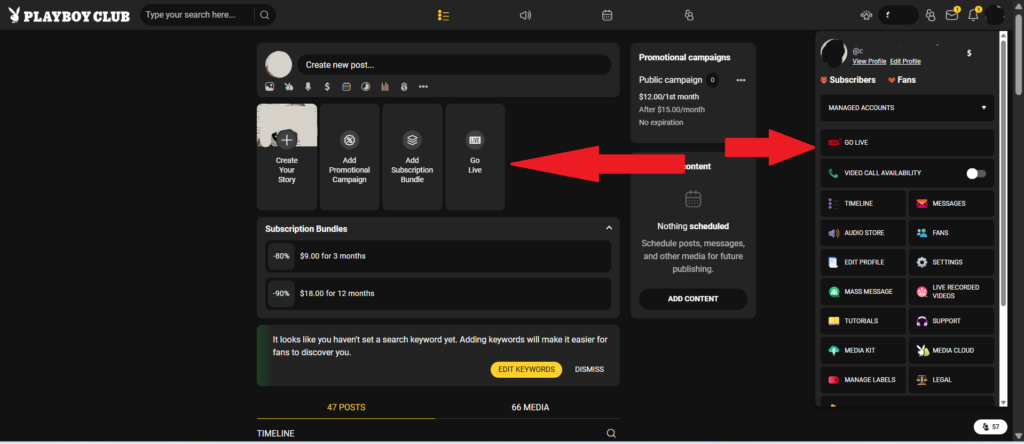
- Use any of the “Go Live” buttons to initiate your broadcast.
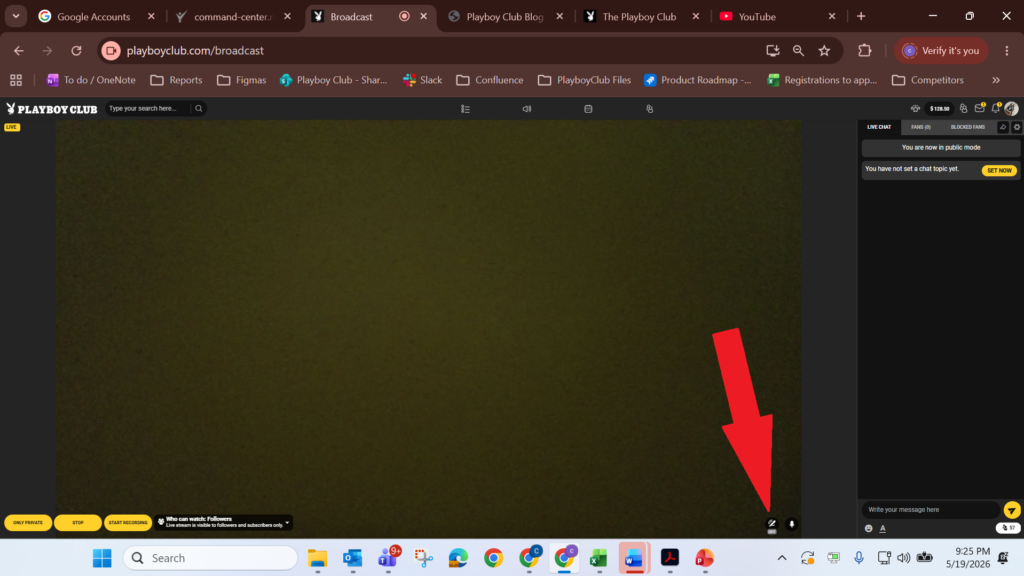
- Start the broadcast first.
- Wait for the Lovense Toy to connect. You’ll notice it’s connected when the button becomes a darker gray.
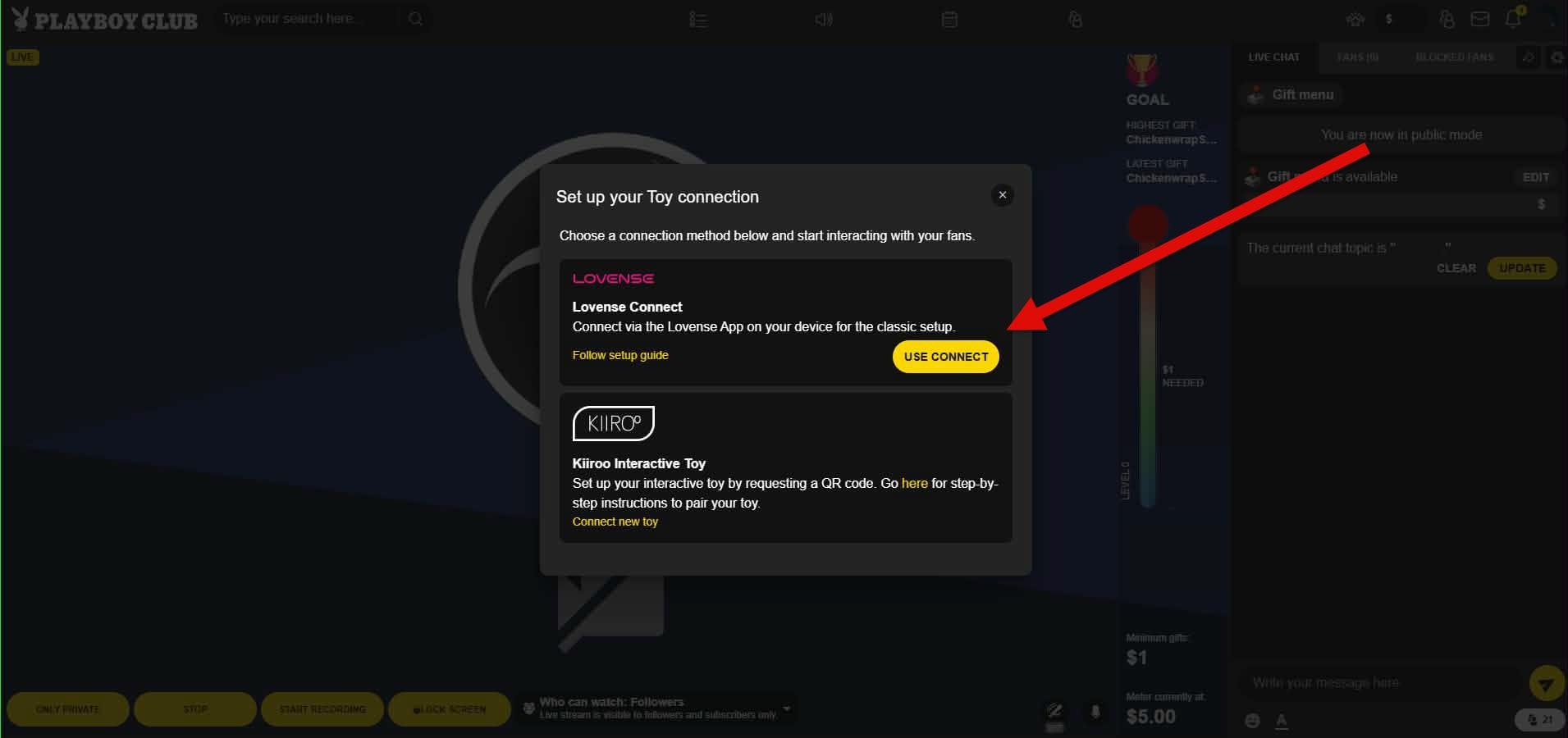
- Enable the Lovense Toy by clicking the “USE CONNECT” button as shown on the screenshot below.
- Now your Lovense Toy is connected, but not yet available to your Fans. Please click the button “ACTIVATE TOY” as shown below to allow them to use it.
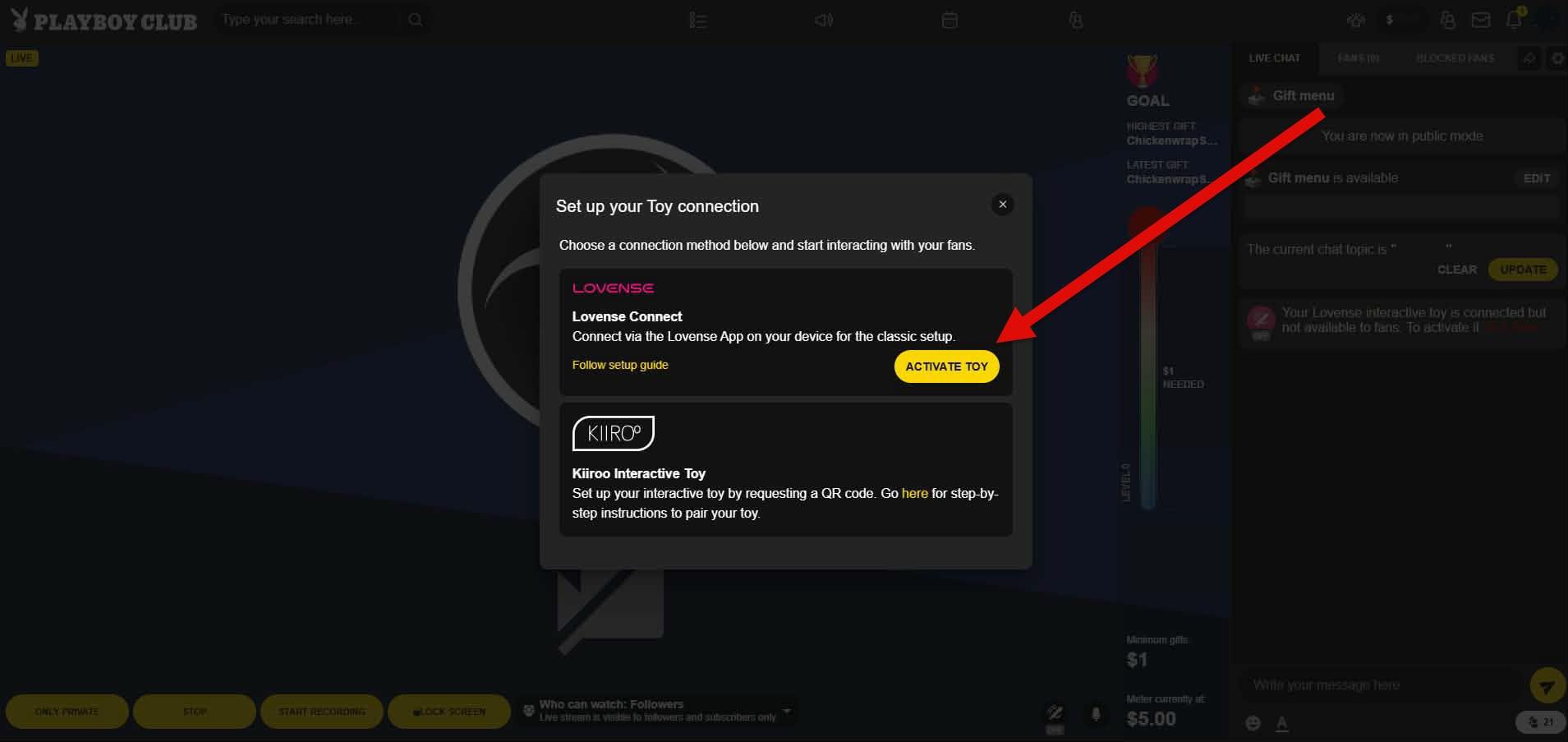
- See the “Toy” button, turning pink, indicating your Lovense Toy is ready for action.
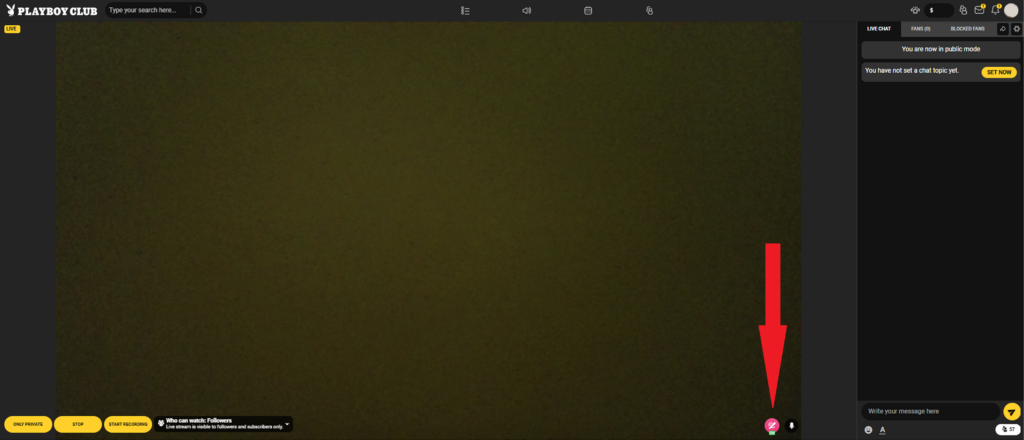
Your Lovense Toy is now ready to be used. Please note that the tip amounts & vibration duration are fixed and cannot be customized.
Enjoy!